
How long does it take to clone a 1tb drive to SSD?
How long does it take to clone a 1TB SSD drive
What ties them together It is a common question how long it takes to copy a hard disk to an SSD. It depends on how much data you need to move, how quickly the cloning program runs, the read and write speeds, the computer system, the hard disk, etc. Therefore, the usual wait time would be between 10 mins and 1 hour.
How long does it take to clone 2TB HDD to SSD
Assuming the transferring speed is 100MB/s, it will clone 1 gid in 10 seconds, 10 gig in 100 seconds, 1 TB in 10,000 seconds, and 2 TB in 20,000 seconds, which equals about five and a half hours.
How do I clone a 1TB hard drive to SSD
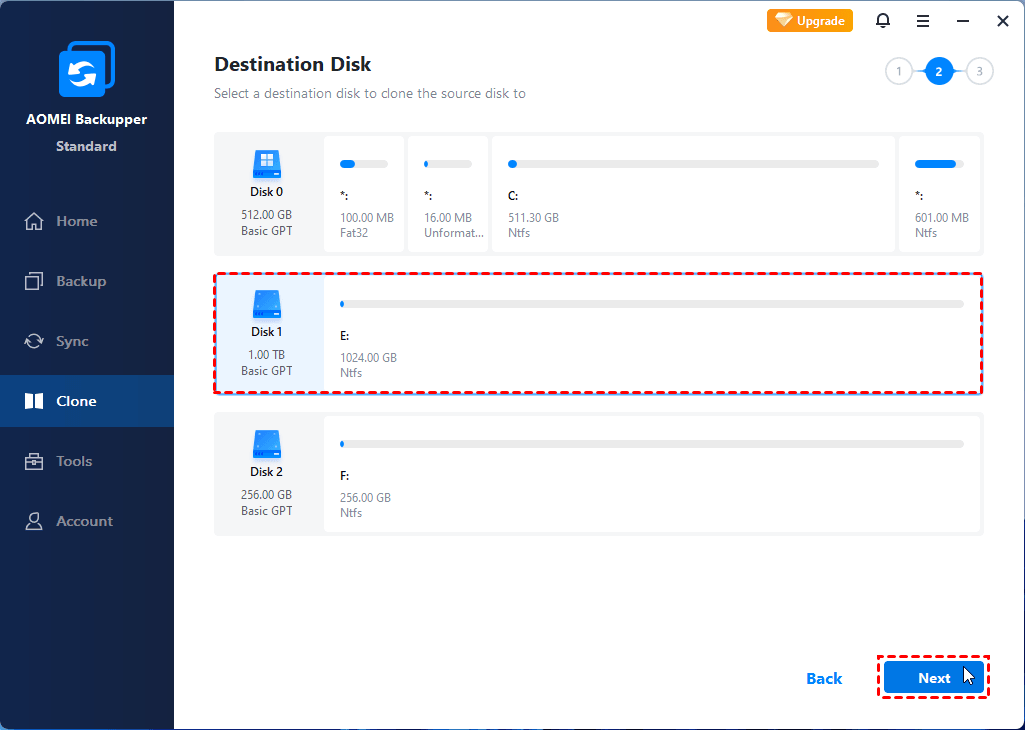
How Do I Clone A 1TB Hard Drive to A 2TB SSDSelect the source disk. Go to the "Clone" tab, click "Clone OS Disk" or "Click Data Disk". And then click "Next" to continue.Select clone mode. You can select "Autofit the disk", "Clone as the source" to customize your disk layout.Click "Start" to start cloning process.
Is it easy to clone HDD to SSD
But if you have a lot of important data on your old hard drive, and don't want to go through the hassle of reinstalling the operating system, disk cloning software can save you time and effort. Cloning HDD to an SSD is a simple and efficient process that can save you time and effort.
How to clone 1 TB HDD to 500 GB SSD
Now take the simple steps to clone your 1TB HDD to a 500GB or 250GB SSD without data loss:Select the source disk. Click the "Clone" from the left menu.Select the target disk.View the disk layout and edit the target disk partition size.Click "Start" to start the disk cloning process.
Can I clone a 1TB HDD to a 256GB SSD
You can clone a larger hard disk to a smaller SSD, but only if the SSD is big enough to hold the HDD's whole data. For instance, disk cloning is impossible if the total quantity of data on the HDD is greater than 256GB. Cloning a larger HDD to a smaller SSD will benefit you in many aspects: Reduced boot time.
Can I clone a 1tb HDD to a 256GB SSD
You can clone a larger hard disk to a smaller SSD, but only if the SSD is big enough to hold the HDD's whole data. For instance, disk cloning is impossible if the total quantity of data on the HDD is greater than 256GB. Cloning a larger HDD to a smaller SSD will benefit you in many aspects: Reduced boot time.
Can I install SSD without cloning
A system clone is the best option. It is the simplest, quickest, and most convenient way to migrate your operating system to a new SSD. It makes reinstalling data at a new location easier. You can use clean installation instead of cloning if you do not want to clone.
Can I clone a 1TB HDD to a 2TB SSD
The answer is YES. Using a disk cloning program, you can clone a 1TB HDD to a 2TB SSD with ease. The process involves the following main steps. EaseUS Disk Copy is a popular Windows 11/10/8/7 disk and partition cloning tool that will ensure a smooth HDD to SSD cloning without reinstalling the operating system.
Does cloning SSD erase data
Cloning a hard drive will not delete everything on the source drive, but it does erase everything on the target drive. If you want to clone your HDD to SSD, everything on the HDD will not be changed, but SSD data will be deleted.
Can I delete HDD after cloning to SSD
You can format or factory reset your hard drive after cloning it to the new SSD. This process will erase all data stored on your hard drive and free up the maximum storage space. The disk formatting method is easy with Disk Management. Ensure the formatted hard drive isn't being used during the procedure.
Can I clone a 1TB HDD to a 500GB SSD
Answer: It is possible to clone 1TB HDD to 500GB SSD
In fact, the answerer is positive, as long as the used capacity on the source HDD is not larger than the capacity of the destination SSD. At this point, what you need is proper HDD to SSD cloning software.
Is it bad to clone an SSD
In general, cloning an HDD to SSD is not bad. And you can benefit a lot from it. If your SSD has files stored on it, you'd better back it up in advance because cloning HDD to SSD will wipe the data stored on the target device.
Why is my SSD smaller after cloning
This is because when you clone a hard drive, you also cloned the partition size besides the data. When the cloned drive is larger than the original drive, most of the cloning programs, if not all, will leave the extra space on the cloned hard drive as unallocated space.
Can cloning damage hard drive
Cloning a hard drive can avoid the process of time-consuming reinstall the system and reconfigure settings. And cloning is very safe, it plays a significant role in managing and protecting data. The best way to clone a hard drive to SSD is to seek the help of third-party software.
Does swap ruin SSD
Early SSDs had a reputation for failing after fewer writes than HDDs. If the swap was used often, then the SSD may fail sooner. This might be why you heard it could be bad to use an SSD for swap. Modern SSDs don't have this issue, and they should not fail any faster than a comparable HDD.
Do I need to wipe SSD before cloning
Simply put, it is not a necessary step before cloning, as your disk cloning solution will usually clone the partition style over and overwrite the target disk. But we can also discuss 2 specific scenarios as follows: ☛ If your target SSD is brand new, then you don't need to format the SSD.
Why is disk cloning so slow
If the ports are not healthy, the disk transfer speed will get slow, affecting the cloning process. There are too many background running programs: Sometimes, some programs or applications can take up a lot of memory even if they are running on the background, making the cloning hard drive taking forever problem occur.
What are 3 disadvantages of cloning
Disadvantages of CloningNot reliable.Eliminates genetic diversity.High level of uncertainty.Not at all a safe process.Cloning is unethical.It can easily be misused.It may promote discrimination.
Is SSD swap as fast as RAM
Even though SSDs use memory chips instead of a mechanical platter that has to be read sequentially, they're still slower than RAM. There are two reasons for that difference in speed. First, the memory chips in SSDs are slower than those in RAM.
Is SSD a hot swap
Since all storage drives with SAS, SATA, and Firewire interfaces are hot swappable, this means that both SATA HDD and SSD types of drives can also be hot swappable. As noted previously, most storage drives have a RAID set up to provide data redundancy when one drive fails.
Why can’t i boot from SSD after cloning
Causes – Why Is Cloned SSD Not BootingThe SSD is connected to the PC as an external disk.The cloned SSD is not set as the boot disk.BIOS boot mode is incompatible with the SSD.The disk cloning process was corrupted or interrupted.Incomplete clones, missing boot partitions, or boot components.
How long does it take to clone 100GB
about 17 minutes
Generally speaking, the usual wait time is between 10 minutes and 1 hour. If the cloning speed is 100MB/s, it would take you about 17 minutes to copy a 100GB hard drive.
How long can cloning take
In summary, it takes one to two weeks to complete the culture process for a Genetic Preservation. It takes 10 days to get embryos transferred into recipients during the cloning process.
Why is cloning so bad
Researchers have observed some adverse health effects in sheep and other mammals that have been cloned. These include an increase in birth size and a variety of defects in vital organs, such as the liver, brain and heart. Other consequences include premature aging and problems with the immune system.


0 Comments