
How do I transfer everything from my computer to an external hard drive?
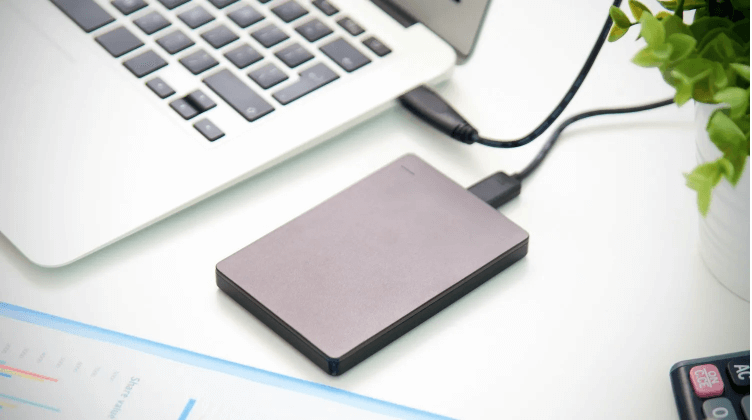
How do I backup my entire computer to an external hard drive
Back up your PC with File History
Use File History to back up to an external drive or network location. Select Start > Settings > Update & Security > Backup > Add a drive , and then choose an external drive or network location for your backups.
How do I transfer all my data to a new hard drive
Open File Explorer and view the drives. Select the files you want to transfer from the old hard drive and copy them. Paste the files onto the new hard drive. Repeat this process until you have successfully copied all of the data from the old hard drive to the new one.
Is it easy to transfer files to external hard drive
In most cases, transferring data from a computer to an external drive is as simple as plugging the drive into the computer, selecting the files on the computer you want to transfer, and copying them to the external drive.
How do I backup my entire computer Windows 10
You can use the File History feature in Windows 10 to back up to an external drive or network location. Select Start > Settings > Update & Security > Backup > Add a Drive, and then choose an external drive or network location for your backups (Figure 1). Restore your files with File History.
What is the best way to backup your computer
Experts recommend the 3-2-1 rule for backup: three copies of your data, two local (on different devices) and one off-site. For most people, this means the original data on your computer, a backup on an external hard drive, and another on a cloud backup service.
How do I transfer data from my laptop hard drive to a new hard drive
Option 1: Cloning the Old Hard Drive: Step 1: Connect the new hard drive to the laptop with the help of a USB cable. Step 2: Use the cloning software and clone the old hard drive onto the new hard drive. Step 3: Now, remove the old drive and install the new drive.
How do I move files from SSD to hard drive
More Hot Topics on How to Transfer Data from SSD to HDDInstall and launch EaseUS Todo PCTrans. Click "App Migration".Choose the programs you want to transfer. Set the HDD as the target location and click "Transfer".Wait for the transfer process to finish. After that, you can run the migrated software on your HDD.
How long does it take to copy 1TB to external hard drive
How long does it take to copy 1TB data over USB 3.0. Around 4.9 hours. For USB 3.0, the maximum if 5GB/s, translating to 625MB/s.
Is it OK to download directly to external hard drive
Copying large files to an external drive can involve some CPU overhead. This can impair your computer's performance, no matter if you store them on an internal or external hard drive.
How to transfer all data from PC to external hard drive Windows 10
To copy multiple files, hold CTRL as you select additional files or folders. Once you have files and folders highlighted, make sure you're in the Home tab, then select Organize > Copy to, and select your external storage device name from the list of options.
What is the best way to backup your entire PC
What's the Best Way to Back Up a ComputerBack Up to an External Drive. If you have an external USB hard drive, you can just back up to that drive using your computer's built-in backup features.Back Up Over the Internet.Back Up to a NAS on Your Network.Use a Cloud Storage Service.
How many GB does it take to backup a computer
You will want at least 16 GB of free space for your backup, regardless of whether you use a USB flash drive or another disk. Although this is the bare minimum needed for Windows backups, keep in mind that the recovery drive's storage space is limited and doesn't back up personal files and third-party software.
How do I back up all my data
Start a backupOn your Android phone, open the Google One app .At the bottom, tap Storage.Scroll to the device backup section. If this is your first phone backup: Tap Set up data backup.To find your backup settings, tap Manage backup. To back up the data on your phone, turn on Device data.Tap Back up now.
What happens when you connect an external hard drive to a Windows PC
What happens when you connect an external hard drive to a Windows PC Windows automatically assigns an available drive letter. On a Windows workstation, you want to use the Storage Spaces feature to create a logical drive. Which of the following components are used to configure Storage Spaces (Select three.)
How do I transfer data from internal SSD to external hard drive
Method 1: Move files from SSD to HDD with "Copy and Paste"
Pitch on what you would like to transfer, right click them and select Copy from the given options. Then, find a location to store those files, right click a blank space and select Paste.
Can you move operating system from SSD to HDD
Yes, of course, for the Windows users, you can move the OS from SSD back to HDD, which is the same as the operation you move the OS from HDD to SSD . Make your HDD connected to the laptop. If it is the old HDD, you need to backup the data firstly.
Is 1 TB 1024 GB or 1000gb
So how many gigabytes or megabytes are in a terabyte 1 terabyte (TB) equals 1,000 gigabytes (GB) or 1,000,000 megabytes (MB).
Is 1 TB a lot of storage
1 TB of storage capacity means you can store twice as much data on your machine – documents, photos, installed programs and games – as on a 500 GB storage device. It will not affect your system's actual performance in any meaningful way. If you already have a 500 GB drive, there isn't an.
What should you not do with an external hard drive
It is not advisable to keep the device in certain spaces such as closet, garage or in a warm area. Don't be quick to assume that when a hard drive isn't working, that it has incurred some sort of failure. Remember to always check if the cable is adequately connected.
Is it slower to work on external hard drive
The data connection and rotational speed determines the overall performance of an internal versus external hard drive. External HDDs are usually 2.5 inch with a rotation speed of 5400 while internal HDDs are 3.5 with 7200. And yes, they are indeed faster.
How to transfer photos from PC to external hard drive Windows 10
After the connection is successful, open the file explorer and search the folder of the files you want to copy. Select it and right-click to copy the file, or press "CTRL+C". Step 3. Then double-click the external hard drive and right-click to paste or press " CTRL+V " to paste the file here.
Why my external hard drive is not copying files
The external hard drive doesn't have enough storage space to copy files. Bad sectors on the external hard drive are affecting it. The external hard drive is not formatted properly. The external hard drive is not compatible with your computer, so it is not recognized by your computer.
Does backing up your computer save everything
A computer backup of your device, which is not the same as a sync, includes almost all of your device's data and settings.
Is 50 GB enough for backup
50GB of storage is more than enough to store a few backups, as well as your pictures, videos, and other files. Of course, you'll need to clean out your storage every now and then to make sure you don't hit the limit. This plan is also great for people on a budget.
Is 32 GB storage enough for a computer
32GB of SSD storage is enough for one or two programs, but I wouldn't recommend it, especially for long-term use, as files accumulate over time. Unless you're fine using online storage or an external hard drive, we'd recommend a bigger capacity storage option.


0 Comments