
Can you transfer OS from HDD to SSD without formatting?
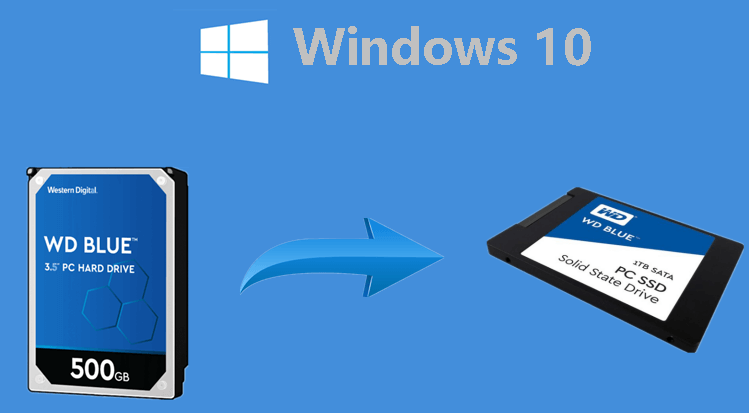
Can you transfer OS from HDD to SSD without losing data
Definitely yes! Here we highly recommend you using AOMEI Partition Assistant Professional. It is a quite versatile disk partition manager for Windows 11/10/8/7 and Windows XP/Vista users, being able to migrate OS-related partitions to SSD without data loss.
Archiv
How to transfer OS from HDD to SSD without reinstalling
Remove Old OS HDD, Use SSD as Boot Drive on PC
Take out the OS HDD and leave the cloned SSD inside the PC. Then, reboot the PC, and the computer will automatically take SSD with migrated OS as the boot drive. Login with your Windows password and let your PC boot up normally.
How do I move Windows from HDD to SSD without formatting
To transfer Windows 10 from HDD to SSD without losing any data, a Windows cloning tool will be the best option. iSumsoft Cloner is a powerful and yet easy-to-use Windows cloning tool that allows you to copy the current Windows installation directly from the HDD to the SSD and remain the SSD bootable.
Archiv
Is it possible to transfer OS from HDD to SSD
You can use a cloning tool to copy your OS from HDD to SSD. You can create a system image of your PC and later restore it to your SSD. Also, you can download an ISO of your Windows and install it fresh on your new drive.
Archiv
Can I replace HDD with SSD without cloning
The recommended way to replace old HDD with SDD is by cloning. Cloning ensures that every single file is transferred to your new SSD. Hence, you do not have to install a new OS in your SSD for it to work. Still, if you wish not to go for cloning, you must install a new copy of Windows in your new SSD drive.
Does wiping SSD remove OS
There are several effective methods for removing the contents of an SSD. Please note, all of these methods will delete any operating system data, user data, and other contents of the partitions currently on the drive, and some methods also remove the partitions themselves.
Can I replace the HDD with SSD without reinstalling Windows
How to securely install an SSD without reinstalling WindowsConnect or install SSD to your computer properly. Generally, you just need to install the SSD alongside the old hard drive.Clone hard drive to SSD without reinstalling Windows.Boot from the cloned SSD securely.
Can I install Windows on SSD without formatting
To answer your question, yes, you can do that. Aside from disconnecting your SSD, you can also remove all the external cables from the computer except mouse and keyboard before performing the install.
Is migrating OS safe
Yes, it is completely safe to migrate your operating system. What you need to do is a process called cloning. Due to their quicker writing and reading speeds and quieter operation, SSDs are well-liked by users. As a result, most computer users choose to move data or OS from hard disks to SSDs.
How long does it take to clone OS from HDD to SSD
It is a common question how long it takes to copy a hard disk to an SSD. It depends on how much data you need to move, how quickly the cloning program runs, the read and write speeds, the computer system, the hard disk, etc. Therefore, the usual wait time would be between 10 mins and 1 hour.
How do I move my OS to SSD without reinstalling Windows
Now you have successfully migrated your OS to the new SSD. After migration it's time to boot old system using new SSD. Here's how to do that remove.
Does cloning an SSD copy the OS
Yes, cloning the hard drive will copy the OS. It will not only copy the OS; all of the source drive's contents will also be copied to the target drive. Therefore, you must be very careful while cloning since all your crucial data will be lost if you choose the source and target drives incorrectly.
Does formatting a hard drive delete the OS
Whatever the reason, unfortunately formatting an OS hard drive will also erase any operating system installed on the computer, including Windows. If your system drive is formatted, you'll have to reinstall Windows and then install your programs again.
How do I format my SSD but keep OS
You can wipe SSD but keep OS by Settings:Open Settings.Go to Update & Security".Select Recovery from the left pane.Under Reset this PC, click Get Started.You can see options on the screen – Keep my files and Remove everything. Select Remove Everything.Select next, click reset, then wait for completion.
Will I lose my Windows 10 license if I change my SSD
Hi Ha, swapping a HDD for an SSD is no problem, it is a minor change, that will not affect your Windows licence . .. You can reinstall Windows 10 at any time and it will not cost you anything !
Is migrating OS same as cloning
Cloning means creating an exact copy of the existing system, and migration generally transfers data or information from one system/disk/drive to another.
What are the risks of system migration
Here are a few common data migration risks:Data loss. Sometimes data goes missing during the migration process.Database differences and schema management.Data dependencies.System integrations.Data corruption.Data duplication.Data governance, compliance and access management.Plan and prepare.
Is cloning an OS SSD good
☞ SSD clone
Compared with fresh install, cloning is much more convenient, not only easy to operate, but also without data loss. As a result, cloning is a better option if your current operating system and other software are in good working condition.
How do I install Windows on a new SSD without losing data
If you want to install your Windows on a new SSD without losing data from the old HDD, you will need a cloning tool to help move your current Windows installation and all the data to the new drive.
Is cloning of Windows to SSD bad
In general, cloning an HDD to SSD is not bad. And you can benefit a lot from it. If your SSD has files stored on it, you'd better back it up in advance because cloning HDD to SSD will wipe the data stored on the target device.
Can you clone OS only
Can you clone an OS You can clone the Windows operating system with a capable disk partition cloning software, like EaseUS Disk Copy. This drive cloning tool allows you to migrate your operating system and applications to another hard drive without fresh installing again.
How do I format my hard drive but keep OS
There are a few methods you can use to erase your data from the drive while leaving the operating system intact.Use Windows 10 Reset This PC.Completely Wipe the Drive, then Reinstall Windows.Use CCleaner Drive Wipe to Erase Blank Space.
Does formatting a computer remove the operating system
Whatever the reason, unfortunately formatting an OS hard drive will also erase any operating system installed on the computer, including Windows. If your system drive is formatted, you'll have to reinstall Windows and then install your programs again.
Will I lose my Windows 11 license if I change my SSD
Yes. You can change a drive and not lose your licensing. Windows 10 and 11.
Should I clone or migrate OS
There is a slight difference between Cloning and migrating OS: Cloning is a bit for bit copy of one drive to another, and it would be an exact copy of the HDD with all programs files still intact. Migrate is sort of the same. However, it does not really care about the exact bits.


0 Comments