
Como entrar na Twitch prime pelo Amazon Prime?
How do I log into Amazon Prime with Twitch Prime
You'll then be taken back to your manage twitch accounts. Page click prime gaming and now you can begin claiming your free twitch prime.
Can I watch Twitch through Amazon Prime
After you log in to your Amazon account, click “Link Twitch Account.” You'll then be prompted to sign in to your Twitch account. Confirm the accounts are linked, and then navigate to Twitch to get started with your Prime subscription.
How do I connect my Amazon Prime account to Twitch on my phone
How to link Amazon Prime to Twitch on mobileOpen up a mobile browser and visit the Prime Gaming home page. Next, sign in to your Amazon Prime account by tapping on Sign-in.Tap on the silhouette to access the drop-down menu, and tap on Connect a Twitch account.
Why can’t I use my Amazon Prime on Twitch
Make sure your prime account isn't an Amazon Household Invitee. This will prevent you from using Twitch prime subs. Make sure your Amazon Prime account is still active. Make sure your Twitch Prime account still has an active payment method.
Is Twitch Prime free for Amazon Prime users
If you have Amazon Prime (or a Prime Video membership), you already get Twitch Prime for free. It's just a matter of connecting your Twitch account to your Amazon account. If you don't have either kind of Amazon membership, you'll have to sign up for one to access Twitch Prime.
Is Twitch free with Prime Video
The Free Subscription with Prime Gaming subscription option only displays if: Twitch subscriptions are available in your location. You are subscribed to Prime Gaming. The streamer is a Partnered or Affiliate channel.
Is Twitch Prime free with Amazon Prime
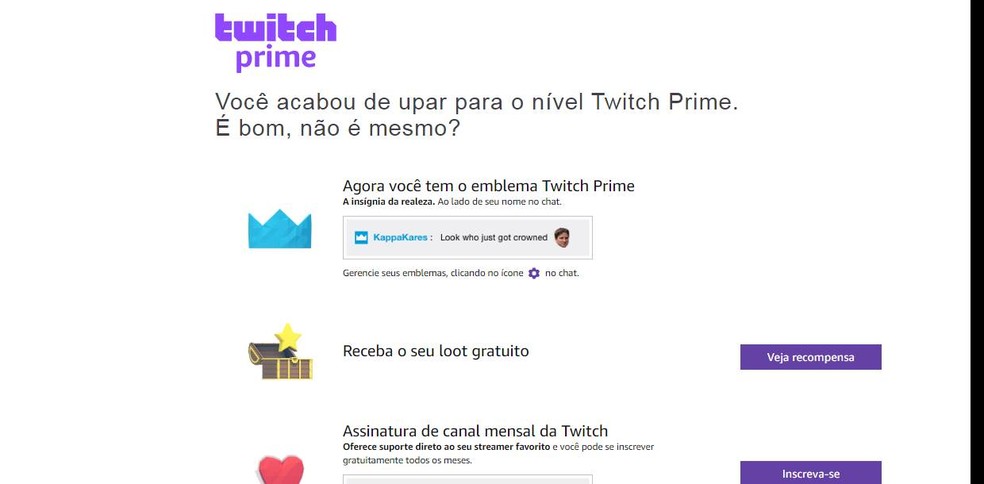
Prime Gaming is a premium experience on Twitch that is included with Amazon Prime and Prime Video memberships. Prime Gaming includes bonus games and exclusive in-game content, a channel subscription every month at no additional cost to be used on any Partner or Affiliate channels, exclusive emotes, and chat badge.
How do I connect my phone to Twitch
You can access mobile IRL broadcasting in the Twitch App by tapping the Create icon in the upper right corner and then Go Live button in the lower right corner of your Android or iOS device. Then selecting the Stream IRL option.
Did Twitch remove Prime
Amazon is sunsetting the Twitch Prime name — relaunching it as Prime Gaming, which will continue to be available for no extra cost to all of the company's more than 150 million Prime members worldwide. On Monday, Aug. 10, the Amazon Prime Gaming service went live, replacing the four-year-old Twitch Prime.
Does Twitch Prime cancel with Amazon Prime
If you've tried Twitch Prime and have decided that it's not for you, you can cancel your Twitch Prime membership. However, Twitch Prime is bundled into your Amazon Prime subscription. So in order to cancel Twitch Prime, you'll need to disconnect your Amazon Prime account from your Twitch account.
How do I activate free Prime on Twitch
Click the Subscribe button on a channel to begin. If you are not currently enrolled in Prime Gaming, you will see a shortcut to start your trial at the bottom of the subscription window. Existing Prime Gaming members will instead see a checkbox that will allow them to apply their sub towards the current channel.
How do I claim free Prime on Twitch
The Free Subscription with Prime Gaming subscription option only displays if:Twitch subscriptions are available in your location.You are subscribed to Prime Gaming.The streamer is a Partnered or Affiliate channel.You haven't already claimed your monthly Twitch Channel Subscription in the past month.
How do I claim my free Twitch Prime
The Free Subscription with Prime Gaming subscription option only displays if:Twitch subscriptions are available in your location.You are subscribed to Prime Gaming.The streamer is a Partnered or Affiliate channel.You haven't already claimed your monthly Twitch Channel Subscription in the past month.
Why doesn’t Twitch work on my phone
Most are often related to your WiFi or data connection. After that, try restarting the app. Many problems with mobile apps can be solved by closing and restarting them. If Twitch still isn't working, the next step should be to restart your device.
Why can’t I stream on Twitch on my phone
Enable Cellular Data For Twitch
Your iPhone or Android device has the option to turn off mobile data for certain apps. Once you do this, the apps won't connect to the mobile networks and function normally. Therefore, ensure you haven't disabled the mobile data access for Twitch.
Why i can’t use Twitch Prime
Make sure your Prime membership hasn't expired.
The only way to use free Twitch Prime subs is to have an active Amazon Prime account. If your Amazon Prime account has expired, you won't be able to use a free Twitch Prime sub every month.
Why did Prime get banned on Twitch
In a weird internet mix-up, it looks like Amazon briefly suspended its Spanish-language Prime Video Twitch channel on Sunday after a host exposed herself on-air, according to a report from the BBC.
How do I change my Twitch subscription to prime
Head to your Subscriptions page, click the gear icon and select Change Subscription Tier. Alternatively, click the Gift a Sub button on the relevant channel and scroll down to Your Subscription to select and purchase your new tier.
Is Twitch Prime free if you have Amazon Prime
By linking your Amazon Prime account to your Twitch account, Prime members can support their favorite Twitch content creators with a free Amazon Prime Twitch subscription once per month. There is no additional cost for the Prime member, and the content creator gets $2.50+ per Twitch Prime subscriber per month.
Is Twitch Prime completely free with Amazon Prime
Prime Gaming is a premium experience on Twitch that is included with Amazon Prime and Prime Video memberships. Prime Gaming includes bonus games and exclusive in-game content, a channel subscription every month at no additional cost to be used on any Partner or Affiliate channels, exclusive emotes, and chat badge.
Is Twitch Prime still free with Amazon Prime
Prime Gaming is a premium experience on Twitch that is included with Amazon Prime and Prime Video memberships. Prime Gaming includes bonus games and exclusive in-game content, a channel subscription every month at no additional cost to be used on any Partner or Affiliate channels, exclusive emotes, and chat badge.
Why can’t i use my free Twitch Prime sub
Make sure your Prime membership hasn't expired.
The only way to use free Twitch Prime subs is to have an active Amazon Prime account. If your Amazon Prime account has expired, you won't be able to use a free Twitch Prime sub every month.
Does Amazon Prime still give free Twitch Prime
Prime Gaming is a premium experience on Twitch that is included with Amazon Prime and Prime Video memberships. Prime Gaming includes bonus games and exclusive in-game content, a channel subscription every month at no additional cost to be used on any Partner or Affiliate channels, exclusive emotes, and chat badge.
How do I set up Twitch on my phone
How to stream to Twitch from a smartphoneDownload and install the Twitch app. You need to have the app installed on your smartphone.Log in to the app.Tap your profile image button in the upper left-hand corner.Tap the “Go Live” button.Set up the stream and go live.
Can you not Twitch prime on mobile
However, you can still use Prime subscriptions on your mobile device via subs.twitch.tv in your phone's internet browser, or you may complete your Prime subscription use from twitch.tv on a desktop. For more information on using subs.twitch.tv, check out ourHow to Subscribe article.


0 Comments