
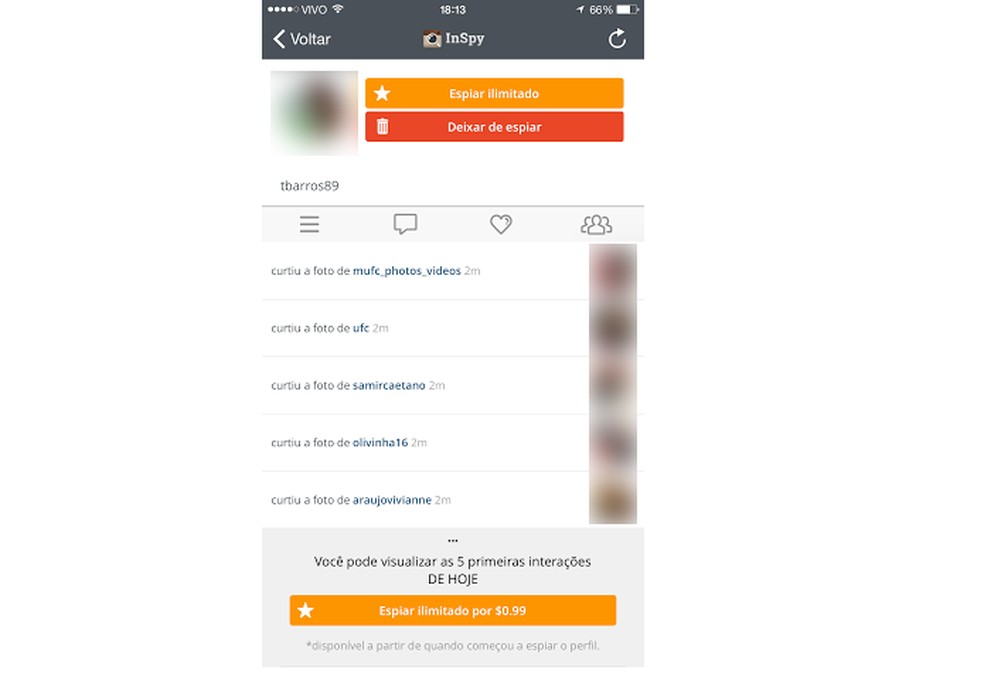
Como usar o InSpy?
How does iSpy work
I spy is a guessing game where one player (the spy or it) chooses an object within sight and announces to the other players that "I spy with my little eye something beginning with…", naming the first letter of the object. Other players attempt to guess this object. It is often played as a car game.
How do I use Agent DVR
ConfigurationBrowse to your Home Assistant instance.Go to Settings > Devices & Services.In the bottom right corner, select the Add Integration button.From the list, select Agent DVR.Follow the instructions on screen to complete the setup.
How do I connect my IP camera to iSpy
DirectionsOpen the iSpy program to load the iSpy Surface.Click the Add button on the top left, then select Add IP Camera With Wizard to load the Connect to IP Cameras window.Check the Listed button and type 'brickcom" to filter the list of cameras.Enter the username and password for the camera, then click Next.
How much does iSpy cost
How Much Does IPSY Cost IPSY memberships start at $13/month for the Glam Bag, but we also offer other subscriptions to fit any lifestyle or preference.
What is spy mobile used for
Spyic. Spyic is a mobile application designed for phone spying that keeps track of everything on the targeted device. It provides extensive monitoring capabilities, including call logs, SMS messages, social media applications, calendars, location tracking, photo and video galleries, and browser activity.
Is iSpy app free
All our software is free for personal, local use. For secured remote access or business use see pricing.
How do I get my DVR to work
DVR TroubleshootingMake sure your equipment (TV and cable) is properly connected and powered on.Make sure the coax cable is connected to the outlet.Remove any objects around your receiver to allow proper ventilation.Restart your receiver.Unplug your receiver and allow at least 60 seconds before plugging it back in.
How do I set up a DVR to record
When the color associated with the mode you choose shows up the recording schedule is. Set. Click apply and save your DVR will begin recording on the schedule you set.
How do I connect my IP camera to my phone
How do I connect my camera to my phone wirelessly Download the camera's app from the App Store or Google Play Store, sign up for an account, and tap 'add device'. Pair the camera via a QR code or by connecting to it as a wireless network.
How do I connect my wireless IP camera to my network
Then you can deploy the camera and connect it wirelessly to your wi-fi router. Since it's paired. So first i'm going to navigate to that ip address the default is usually 192.168.
Is the IPSY app free
Our free mobile app is the best way to experience IPSY: Choose your products every month (1 for your Glam Bag and 3 for your BoxyCharm and Icon Box!)
Can I tell if a spy app is on my phone
Signs that spyware is on your phone
You may experience unexpected handset battery drain, overheating, and strange behavior from the device's operating system or apps. Settings such as GPS and location functions may unexpectedly turn on or you may see random reboots.
How do you know if someone is using a spy app on your phone
If someone is using spyware to spy on your phone, you might notice the following changes to your phone.Mysterious data-use increases.Rapid battery drainage.Phone overheats.Strange noises during calls.Phone gets sluggish.Suspicious changes and charges.Signs of activity in stand-by mode.Slow shut down & start up.
Does iSpy work on iPhone
iSpy Cameras allows you to view and control thousands of public video cameras from around the world in real-time from your iPad, iPhone or iPod touch. Thank you for making iSpy Cameras one of the Top Paid Apps around the world!
What camera app is free
Open Camera is a completely free camera app that fully supports the Camera2 API, which provides an interface to individual sensors connected to an Android device and makes it possible to manually control everything from ISO to exposure time to white balance to focus distance.
Why is my DVR showing no signal
Check if the DVR/NVR is on –
Power outages, accidental unplugs, Power strips that have gone bad, or even simply the actual switch being clicked the wrong way can cause your recorder not to be on when you expect it to be.
Why my DVR is not working
Make sure your equipment (TV and cable) is properly connected and powered on. Make sure the coax cable is connected to the outlet. Remove any objects around your receiver to allow proper ventilation. Refresh your receiver.
How do I know if my DVR is recording
The red recording light on the front of your DVR will light up.
Does a DVR automatically record
If you have a favorite show, you can have it automatically record only new episodes and delete old ones. DVRs with multiple tuners built-in can even record multiple channels simultaneously. The DVR sets aside buffer space on the hard drive so it can constantly record live TV.
How do I setup my IP camera for WIFI
Make sure the green LED on your IP camera is blinking. And click on next find your camera from the list and click Next.
How do I connect my IP camera to my iPhone
If you are using an iPhone, iPad, or iPod Touch, enable Wi-Fi in Settings before connecting.Tap the Settings icon in the Home screen.Tap Wi-Fi.Enable Wi-Fi.Press the button to which WIRELESS COMMUNICATION has been assigned or select WIRELESS COMMUNICATION in the camera menus.Select the desired camera.
How do I connect my wireless IP camera to my phone
How do I connect my camera to my phone wirelessly Download the camera's app from the App Store or Google Play Store, sign up for an account, and tap 'add device'. Pair the camera via a QR code or by connecting to it as a wireless network.
How do I access my IP camera on my phone
A. Open the web browser on Android or Iphone and put the IP address of the camera into the address bar of the browser; then put in the username&password of the camera and you can view the camera now. B.
How much does IPSY cost per year
$143/year
How much does Ipsy cost per year If you sign up for an annual membership, a year's subscription to IPSY costs a discounted rate of $143/year. A monthly membership costs only $13 a month.
Does it cost money to cancel IPSY
How much does it cost to cancel IPSY The IPSY Glam Bag subscription service does not charge you to cancel your subscription.


0 Comments