
How can you tell a fake location?
Can fake location be detected
HyperTrack is a feature available in some Android devices that can track a user's location accurately. Enabling HyperTrack can help detect and prevent fake GPS usage.
Cached
Is there a way to show a false location on iPhone
How to Spoof GPS Location on iPhone Fake GPS Location with Tenorshare iAnyGoOpen iAnyGo to "Change Location" mode on your computer.Connect your iPhone to your PC, and click "Next".Choose a location on the map, and press "Start to Modify."Finally, you will fake the GPS location on your iPhone or iPad.
Cached
How does fake location work
The transmitter signal would replace the official GPS signal, and the receiver location could be faked. Most devices and navigational systems are designed to accept the strongest signal, meaning they ignore the genuine signal in favor of the counterfeit one.
How can I trick my phone location
You can find it at the bottom of the setting. App or you can type developer in the settings. Search. Bar go into the developer. Options menu and look for select mock location.
How to fake location without detection
You need to first enable the mock location feature on an Android device:Go to the "Settings" tab on your Android phone.Then tap on "System".Select "Developer Options" from the list and then scroll down and find the "Allow mock locations" option.Finally, toggle the switch to turn on mock locations.
Can I make my location appear somewhere else
Here's how you can fake your GPS location on an Android device:Head over to Google's Play store Fake GPS Location – GPS Joystick.Once installed, launch the app and tap the 'Set Location' option.Open the map to select the fake location of your choice via the help of the Latitude and Longitude line in GPS Joystick.
How can I trick my location
You can find it at the bottom of the setting. App or you can type developer in the settings. Search. Bar go into the developer. Options menu and look for select mock location.
How do I fake my GPS location on my iPhone without moving
See your location has changed to the new place on the map. And take an effect on your iphone instantly. This is so much fun let's try miami enter it in the search bar. Then bingo we are in miami.
How do I make my iPhone location say I’m somewhere else
Sign in to your Apple ID account page. You may need to verify your identity using your Mac, iPhone, iPod, or iPad. Under the Account section, click “Edit.” Select your new country or region from the Country/Region menu.
How do you manipulate GPS location
Open your phone's Settings app.Tap Security & Location. Location. If you don't find "Security & Location," tap Location.Tap Mode.Select a mode: High accuracy: Use GPS, Wi-Fi, mobile networks, and sensors to get the most accurate location.
How can I trick my GPS location
How to spoof Your Location on Android SmartphonesHead over to Google's Play store Fake GPS Location – GPS Joystick.Once installed, launch the app and tap the 'Set Location' option.Open the map to select the fake location of your choice via the help of the Latitude and Longitude line in GPS Joystick.
Why does my location say I’m somewhere I’m not
For Samsung smartphones running Android 10 OS, the location information may appear inaccurate if the GPS signal is obstructed, location settings is disabled, or if you are not using the best location method.
How do you fake your location on iMessage
How to Send a Fake Location on iMessageLaunch the spoof application once you install it on your computer.Type in an address in the box on the Modify Location dialog, and hit the Search icon to move to the fake location.If you just want to make an imprecise fake location, click it on the map directly.
How do I make my phone location somewhere else
You can find it at the bottom of the setting. App or you can type developer in the settings. Search. Bar go into the developer. Options menu and look for select mock location.
How do I make my location appear somewhere else
Here's how you can fake your GPS location on an Android device:Head over to Google's Play store Fake GPS Location – GPS Joystick.Once installed, launch the app and tap the 'Set Location' option.Open the map to select the fake location of your choice via the help of the Latitude and Longitude line in GPS Joystick.
What makes someone’s location unavailable
Generally, the "no location found" warning displays when a phone is not connected to Wi-Fi or loses service. Location not available indicates that the GPS attempted but failed to determine the phone's location. Looking for a way to locate Android phone
Why did my iPhone location say I was somewhere I wasn t
It's possible that either it is out of range of Wi-Fi or cellular networks or that it has been switched to Airplane mode. Tip: In this case, you can reconnect Wi-Fi or cellular networks. Or you can disable Airplane mode through “Settings > turn off Airplane Mode”.
Can you trick your phone location
You can find it at the bottom of the setting. App or you can type developer in the settings. Search. Bar go into the developer. Options menu and look for select mock location.
How do I lie on Apple location
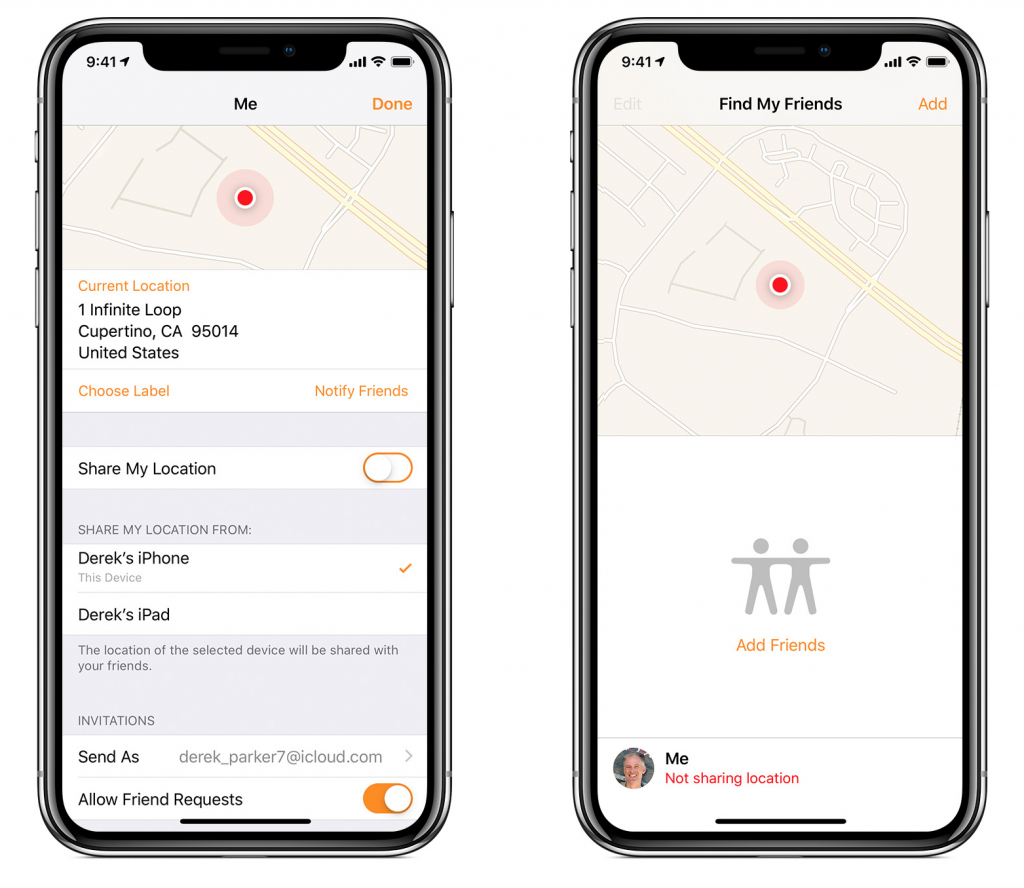
Start by signing out of Find My Friends on your official device. Log in to the secondary iPhone using the same Apple ID and leave the device into the location. With this, no one will detect location change on your device, and you'll be able to share it with any of your friends without hesitation.
How do I manipulate my location on my phone
You can control what location information your phone can use. Open your phone's Settings app. Under "Personal," tap Location access. At the top of the screen, turn Access to my location on or off.
Can you turn off location without someone knowing
On Android or iPhone, there are several ways to prevent the device from sharing live location without the other user's knowledge. You can disable features such as Share My Location or Find My iPhone, use another device to change your location, or even use a third-party application.
Does no location found mean they turned off their location
Generally, the "no location found" warning displays when a phone is not connected to Wi-Fi or loses service. Location not available indicates that the GPS attempted but failed to determine the phone's location. Looking for a way to locate Android phone
Why is Apple saying my location is somewhere else
But why is the location shown different to my own location The reason your other device shows some strange location in the pop-up message is that the location shown is not actually your device's location. It is an approximation of the address of your device's 'IP Address'.
How do I ghost my location on iPhone
Settings find a block says location services tap to open the settings tap on share my location. Here you can turn the share my location feature. Off you can also use find my app to turn your location.
How can I manipulate my location
Here's how you can fake your GPS location on an Android device:Head over to Google's Play store Fake GPS Location – GPS Joystick.Once installed, launch the app and tap the 'Set Location' option.Open the map to select the fake location of your choice via the help of the Latitude and Longitude line in GPS Joystick.


0 Comments